Challenge Description
Neovault is a trusted banking app for fund transfers and downloading transaction history. You’re invited to explore the app, find potential vulnerabilities, and uncover the hidden flag within.
Initial Exploration
After starting the instance and visiting the host, I landed on the NeoVault homepage. I began by clicking around and interacting with different features while capturing all requests in BurpSuite. This helped me get a general understanding of the app’s structure and endpoints.
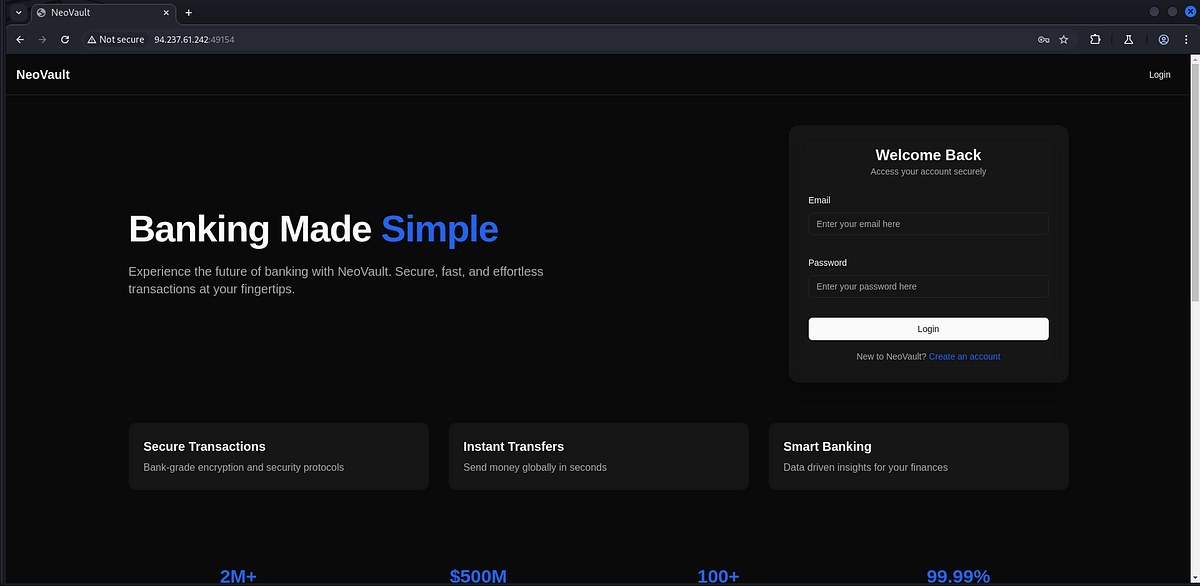
You can create an account via /register and log in through /login, which redirects you to the dashboard at /dashboard.
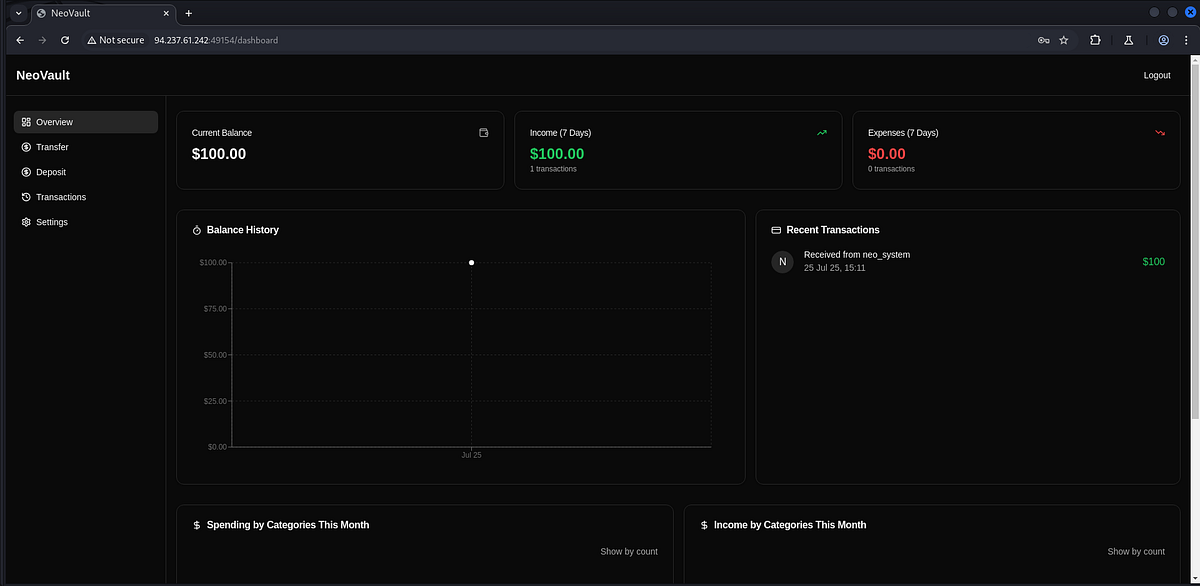
Dashboard Overview
The dashboard contains four main tabs:
- Transfer — Allows you to send money to another account using their username.
- Deposit — Lets you add money to your account (currently non-functional).
- Transactions — Shows your transaction history and lets you download a PDF report.
- Settings — Lets you update your email address.
I tested all the app’s features and used Obsidian Canvas to map out the pages and API endpoints.
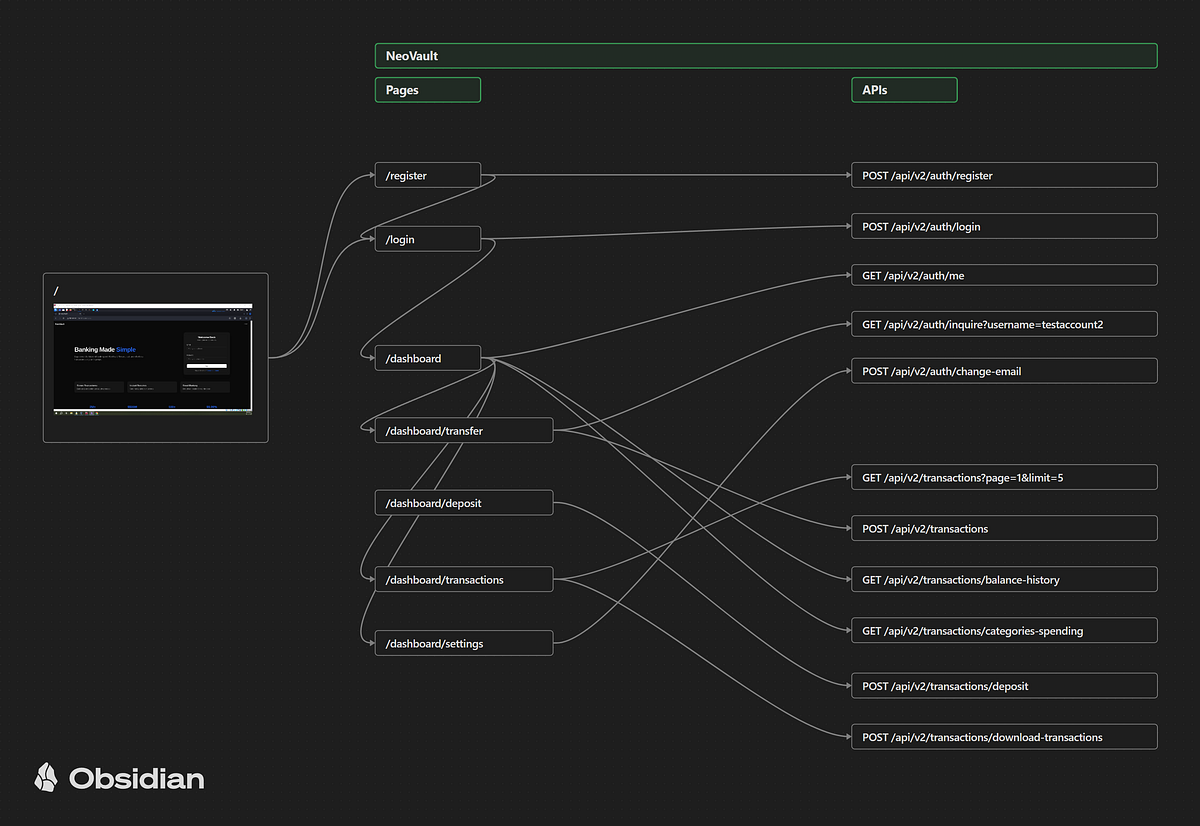
Testing for Vulnerabilities
I ran several tests, including:
- SQL Injection attempts
- Path fuzzing
- JWT token tampering
- Fuzzing API request parameters
- Testing older API versions (current version is v2)
Most of these didn’t lead to anything useful — until I focused on the PDF download feature.
Exploiting the Report Download
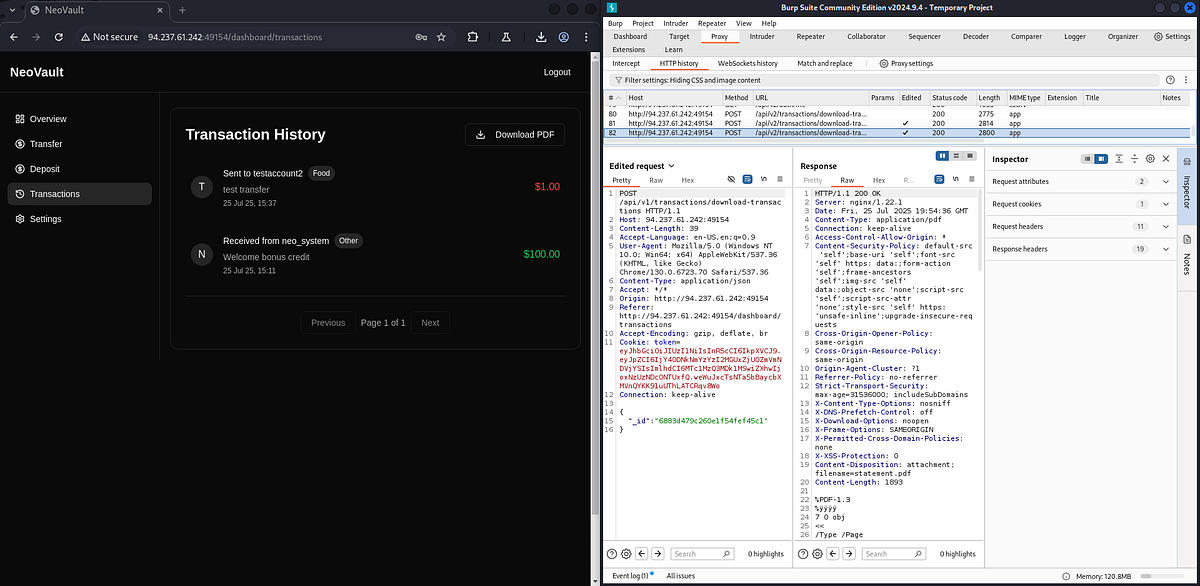
When I changed the endpoint from /api/v2/transactions/download-transactions to /api/v1/transactions/download-transactions, I received a new message:
“_id is not provided”
This hinted that in API v1, we can manually specify the _id of the user to download a report.
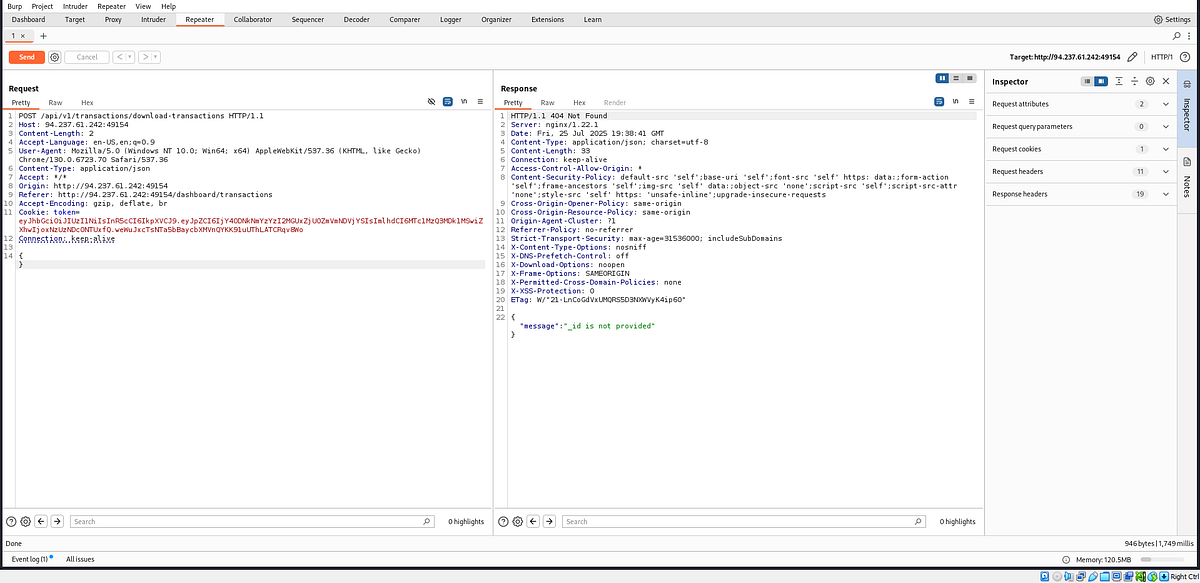
From the transactions tab, I noticed a user called neo_system who transferred an initial bonus credit to my account. Their user ID can be found in the API response from /api/v2/transactions.
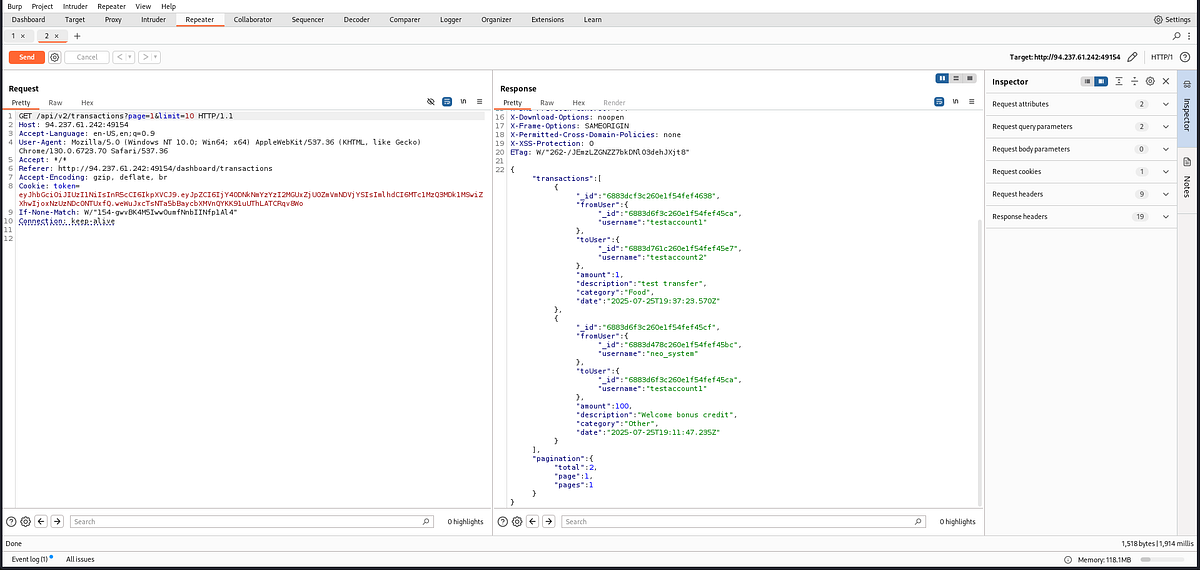
Intercepting and Modifying the Report Request
Here’s what I did:
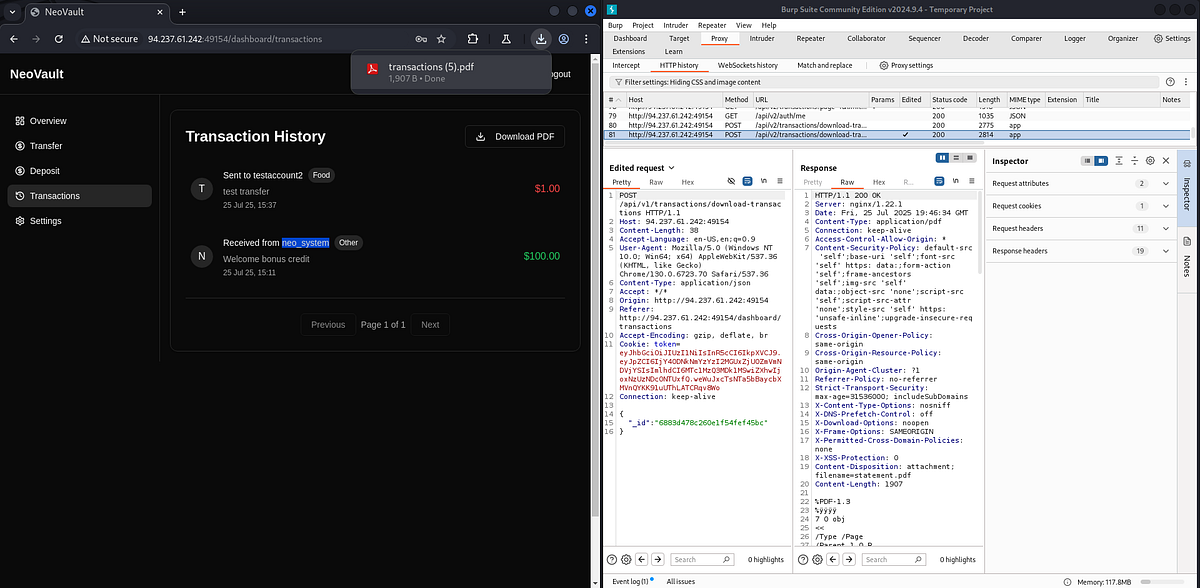
1- Intercept the report download request using BurpSuite
2- Modify the request:
- Change the API version from v2 to v1
- Add the _id field with neo_system’s ID
3- Forward the request
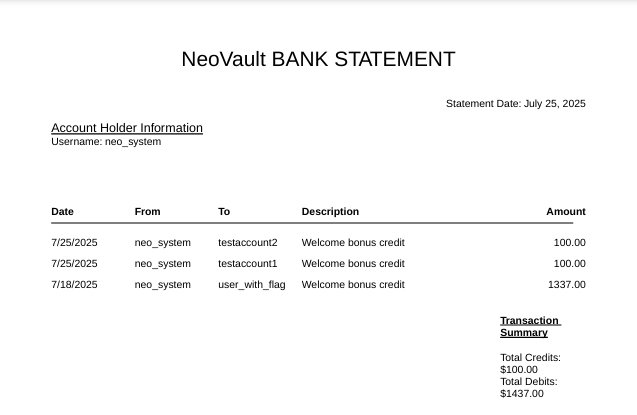
This successfully downloaded the PDF report for neo_system.
Discovering the Target User
In neo_system’s report, I found a transaction sent to a user named user_with_flag — our next target.
To get their user ID, you have two options:
- Send them a small transaction and capture the ID in your transaction history (like we did before), or
- Use the
/inquireAPI endpoint during the transaction process to retrieve their ID directly.
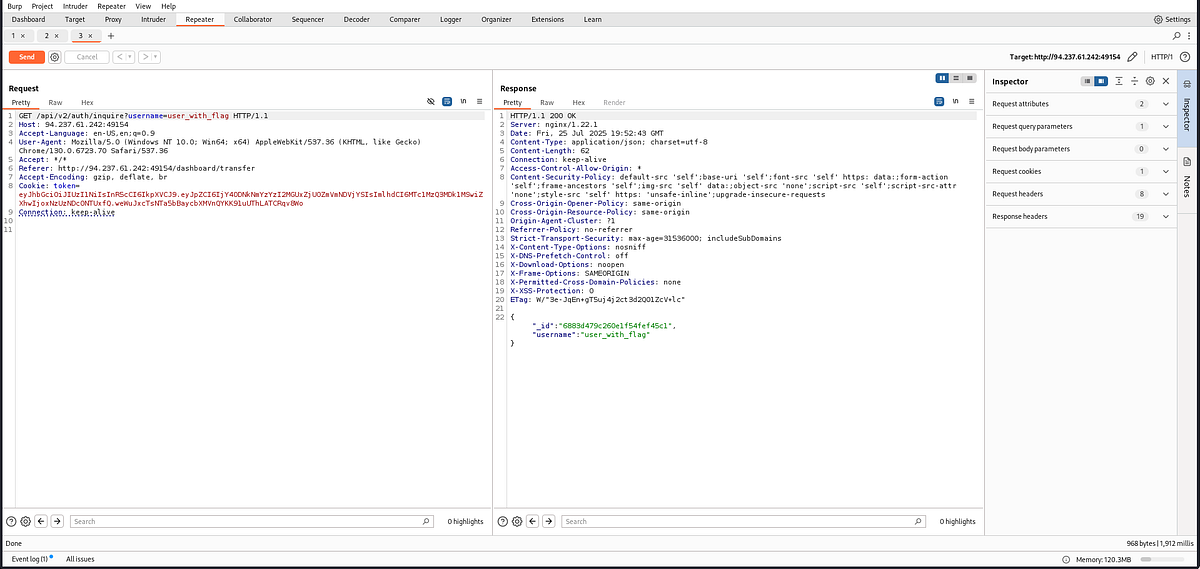
Downloading the Final Report
Now that I had the user_with_flag ID, I repeated the same steps:
1- Intercept the report request
2- Change the API version to v1
3- Insert the _id of user_with_flag
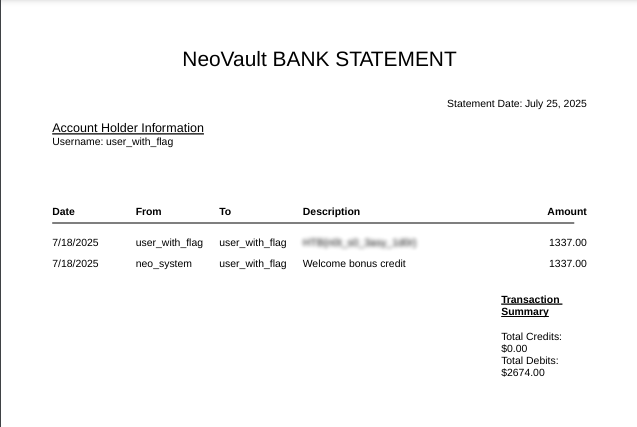
This downloaded the final PDF report.
Inside this report, the flag was found in the description field of one of the transactions:
Conclusion
The key to solving the NeoVault challenge was discovering the older version of the report API and using it to access reports of other users by modifying the request body. This challenge tested API manipulation, endpoint versioning, and inference of internal object IDs.